GPX to Zwift
Ride to workout
Turn any ride into a Zwift workout
Upload your GPX file and get a structured .zwo workout in seconds — automatically shaped to your terrain, scaled to your FTP.
Drop your ride here
or click anywhere to browse — any .gpx export works
Your ride, reimagined
Every conversion gives you three powerful views of your data
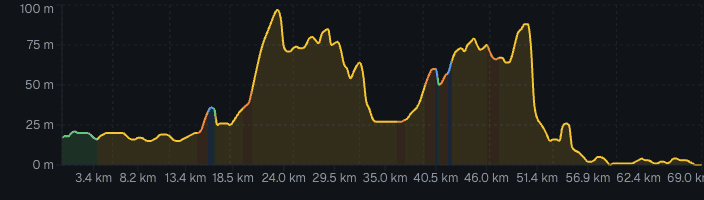
Elevation profile
See your terrain at a glance
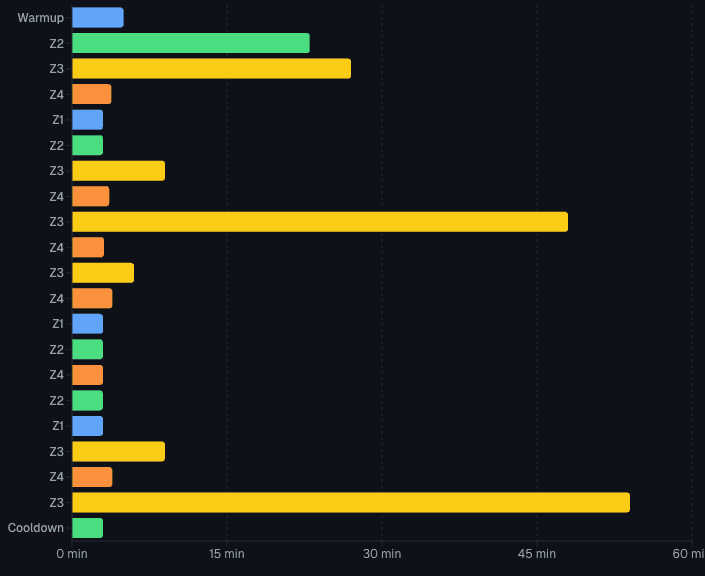
Power zone breakdown
Know your training mix
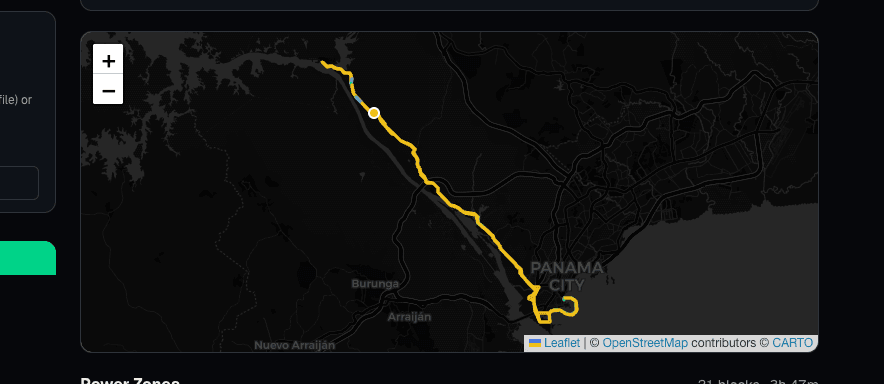
Interactive route map
Follow your route visually
Built for how cycling actually works
Not a power replay. An intelligent workout built from your terrain.
Route-aware workout generation
Your terrain shapes the training. Choose your goal — Attacker for race prep, Diesel for base building, Recovery for easy days — and the same route produces a completely different workout.
Intelligent terrain analysis
GPS noise smoothed with gradient averaging. Climbs categorized by duration and intensity — punchy bursts, VO2 efforts, threshold grinds, and long steady climbs. No more interval soup.
Power zone visualization
See exactly where each training zone falls across your route. Adjust your FTP and intensity — updates instantly.
Instant .zwo download— One click, drop in Zwift, ride.
How it works
Five steps from GPX to Zwift workout
Upload a GPX file
From any cycling app — Strava, Garmin, Wahoo, or anything that exports GPX.
Terrain analysis
Gradient smoothing eliminates GPS jitter. Your route is classified into terrain features — punchy climbs, VO2 efforts, threshold grinds, rolling hills, and descents — with gradient consistency detection.
Training intent mapping
Each terrain feature gets a training purpose based on your goal. Attacker mode turns climbs into sprints. Diesel keeps everything steady. Recovery caps at 65% FTP.
Workout generation
Intents become structured workout blocks with warmup, cooldown, smooth transitions, and over/under intervals for rolling terrain.
Download the .zwo file
Drop it into your Zwift custom workouts folder. You’re ready to ride.
Route-aware, not route-exact: The workout mirrors the training demands of the terrain — not a 1:1 power replay. A steep climb becomes a threshold effort; rolling hills become over/under intervals. Adjust your FTP to fine-tune overall intensity.
Ready to convert your ride?
Drop your GPX file at the top of the page — no account required.
Upload your rideNo account required. Works with any .gpx file.